

Marketing Automation: How to Turn Leads into Sales-Ready Prospects

Many businesses generate leads but struggle to convert them into real sales opportunities. Some leads are interested but not ready. Some need more information. Some forget the brand after the first interaction. Some are contacted too late by the sales team.
This is where marketing automation becomes valuable.
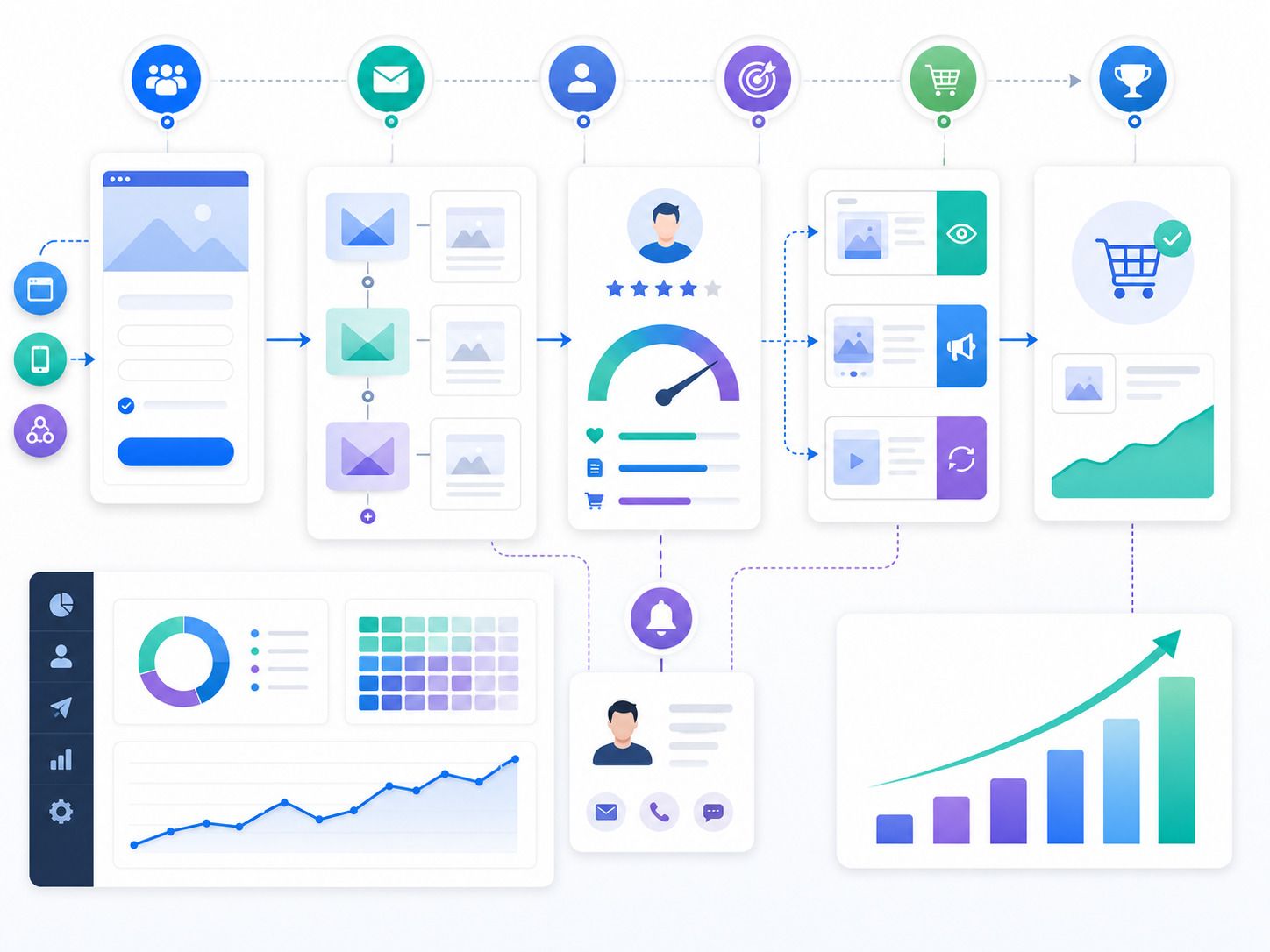
Marketing automation helps businesses stay connected with leads through planned emails, CRM workflows, lead scoring, reminders, segmentation, and personalized communication. It helps move prospects from early interest to sales readiness without depending only on manual follow-up.
For growing businesses, automation saves time, improves lead quality, and helps sales teams focus on the prospects most likely to convert.
What Is Marketing Automation?
Marketing automation is the use of software and workflows to manage repetitive marketing tasks and customer communication.
It can automate emails, lead nurturing, follow-ups, audience segmentation, lead scoring, CRM updates, retargeting triggers, and sales alerts.
The goal is not to replace human selling. The goal is to support the buyer journey with timely and relevant communication.
For example, when a user downloads a guide, they can receive a welcome email. A few days later, they may receive a case study. If they visit a service page, the CRM can increase their lead score. If they request pricing, the sales team can get an alert.
This keeps the process organized and responsive.
Why Leads Are Not Always Sales-Ready
Not every lead is ready to speak with sales immediately.
Some users are only researching. Some are comparing options. Some may need internal approval. Some are interested but need proof, pricing clarity, or stronger trust.
If the sales team treats every lead the same, time gets wasted.
Marketing automation helps identify where each lead stands in the journey. It allows businesses to nurture early-stage leads and alert sales teams when a lead shows stronger buying intent.
This improves both marketing efficiency and sales productivity.
How Marketing Automation Supports Lead Nurturing
Lead nurturing means building trust with prospects over time.
Automation makes nurturing easier by sending useful content based on user behavior, interest, or stage.
A lead who downloads an SEO checklist may receive related blogs, case studies, and a consultation offer. A lead who visits a pricing page may receive proof-focused content and a direct call invitation.
Businesses using Digital Marketing Services in Washington can use marketing automation to nurture local leads, educate prospects, and move serious enquiries toward sales conversations.
Build Segments Before Sending Emails
Good automation starts with segmentation.
Not every lead should receive the same message. A startup founder, enterprise marketing head, ecommerce owner, and local service provider may all need different communication.
Segmentation can be based on:
• Industry
• Location
• Service interest
• Company size
• Lead source
• Website behavior
• Email engagement
• Buying stage
• Budget range
• Form responses
When messages feel relevant, leads are more likely to engage.
Generic automation can feel cold. Segmented automation feels useful.
Use Email Workflows to Educate Prospects
Email is one of the most common tools in marketing automation.
A good email workflow should guide prospects step by step. It should not send only sales messages. It should answer questions, explain value, share proof, and invite action at the right time.
A simple lead nurturing workflow may include:
• Welcome email after enquiry or download
• Educational email about the problem
• Blog or guide recommendation
• Case study or testimonial email
• Service explanation email
• Consultation or demo invitation
Each email should have one clear purpose.
The goal is to help the lead feel informed and confident before speaking to sales.
Lead Scoring Helps Identify Hot Prospects
Lead scoring is the process of assigning points to leads based on their actions and profile.
This helps businesses identify which leads are more likely to convert.
For example:
• Opens an email: small score
• Clicks a service link: higher score
• Visits pricing page: higher score
• Downloads a guide: medium score
• Books a consultation: very high score
• Matches ideal customer profile: higher score
A lead with a high score can be passed to sales faster. A lead with a lower score can stay in nurturing.
This helps sales teams focus on serious prospects instead of chasing every contact equally.
Connect Automation With CRM
Marketing automation becomes stronger when connected with CRM.
The CRM gives sales and marketing teams a shared view of each lead. It shows source, activity, interest, communication history, and sales stage.
A connected CRM can help track:
• Where the lead came from
• Which pages they visited
• Which emails they opened
• Which forms they submitted
• What service they are interested in
• When sales contacted them
• What stage they are in
This prevents missed follow-ups and improves accountability.
Without CRM integration, automation may run in one place while sales conversations happen somewhere else. That creates gaps.
Use Behavior-Based Triggers
Behavior-based automation sends messages based on what a lead does.
This is more effective than sending the same sequence to everyone.
Examples of behavior-based triggers include:
• User downloads a guide
• User visits a service page
• User clicks a pricing link
• User opens multiple emails
• User abandons a form
• User attends a webinar
• User revisits the website after many days
• User becomes inactive
Each action can trigger a relevant response.
For example, if a lead visits a landing page but does not fill the form, they can receive a reminder or see retargeting ads later. If a lead clicks a case study link, sales can follow up with a more specific message.
Retargeting Can Support Automation
Marketing automation is not limited to email.
Retargeting ads can work with automation to keep your brand visible across channels.
A lead may receive an email and later see a LinkedIn or Meta ad with a related case study. This creates repeated but relevant touchpoints.
Retargeting can promote:
• Case studies
• Testimonials
• Service pages
• Free audits
• Webinars
• Consultation offers
• Comparison guides
This helps bring leads back when they are not ready to respond to email.
Personalization Improves Engagement
Personalization helps automation feel more human.
This does not only mean using the lead’s first name. Better personalization uses context.
For example:
• Send industry-specific case studies
• Share content based on service interest
• Recommend next steps based on behavior
• Use location-specific offers
• Adjust CTAs based on buying stage
Personalized communication shows that the business understands the lead’s need.
This can improve email clicks, website return visits, and sales conversations.
Sales Alerts Improve Follow-Up Timing
Timing matters in lead conversion.
If a lead shows strong intent, the sales team should know quickly. Automation can send alerts when a lead takes important actions.
For example:
• A lead visits the pricing page twice
• A lead fills a demo form
• A lead clicks a consultation CTA
• A lead opens several emails in one week
• A lead revisits the website after previous enquiry
These signals help sales teams follow up at the right time.
Fast follow-up can make the difference between a lost lead and a booked meeting.
Measure More Than Email Opens
Marketing automation should be measured by business outcomes, not only email activity.
Email open rates can be useful, but they do not show the full impact.
Track deeper metrics such as:
• Email click-through rate
• Website return visits
• Lead score growth
• Form submissions
• Meeting bookings
• Sales-qualified leads
• Cost per qualified lead
• Lead-to-customer conversion rate
• Sales cycle length
• Revenue influenced by automation
These numbers show if automation is actually helping leads move closer to sales.
Common Marketing Automation Mistakes
Automation can fail when it feels robotic or poorly planned.
Common mistakes include:
• Sending too many emails
• Using the same workflow for every lead
• Not segmenting audiences
• Ignoring lead behavior
• Weak CRM connection
• No sales follow-up alerts
• Poor content quality
• Overusing promotional messages
• Not cleaning old leads
• Tracking only vanity metrics
Automation should feel helpful. It should support the customer journey, not overload the inbox.
How to Build a Strong Automation System
A strong system starts with clear goals.
First, define what makes a lead sales-ready. Then map the buyer journey. Identify what content is needed at each stage. Build email workflows. Set lead scoring rules. Connect the CRM. Add sales alerts. Review performance regularly.
The best automation systems are simple at the start and improve over time.
Start with one useful workflow. Then add more based on real lead behavior and sales feedback.
Final Thoughts
Marketing automation helps businesses turn leads into sales-ready prospects by creating a more organized and timely nurturing system.
It keeps communication active, educates prospects, scores interest, supports retargeting, alerts sales teams, and improves follow-up quality.
The goal is not to automate everything. The goal is to send better messages, reduce missed opportunities, and help sales teams speak to leads when they are more informed and ready.
When automation is connected with content, CRM, analytics, and sales alignment, it becomes a strong growth tool for turning interest into real business opportunities.
"“Marketing automation works best when it sends the right message at the right time and helps sales teams focus on leads that are ready to convert.”"